Keep notifying.
Keep completing.
Some routines are too small for a calendar or to-do list, but still need to get done every day. Looopit keeps sending reminders — as many times as it takes — until you mark them complete.
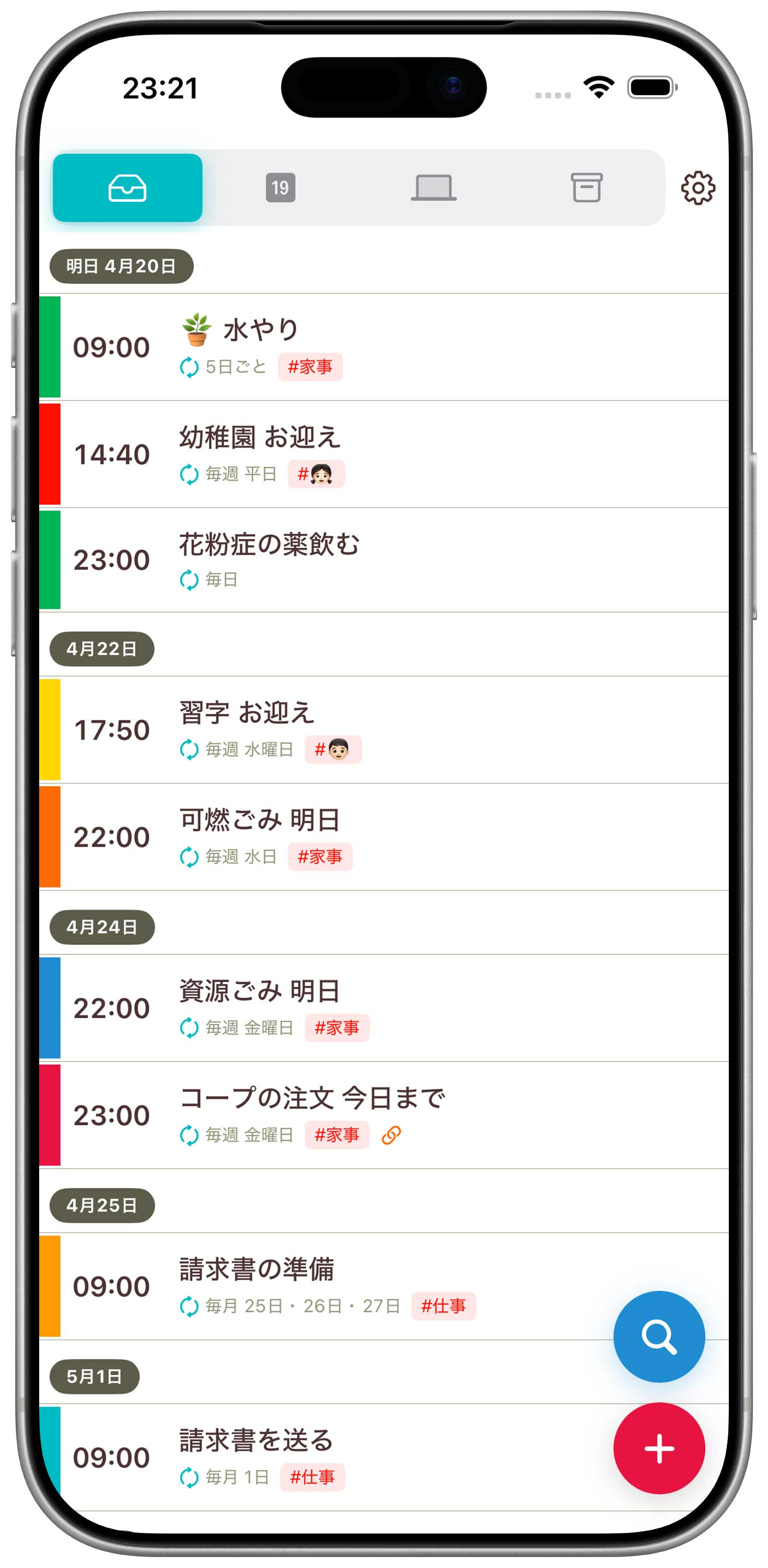
Some routines are too small for a calendar or to-do list, but still need to get done every day. Looopit keeps sending reminders — as many times as it takes — until you mark them complete.
Supports a wide range of recurrence patterns. Whether it's "every Thursday" or "the 5th, 15th, and 25th of every month," Looopit handles multiple days of the week or multiple dates without missing a beat.
Keeps sending snooze alerts at your chosen interval until you mark it complete. Even if you miss a notification or forget it came in, you're covered.
Supports iOS 26 full-screen notifications. Critical reminders take over your entire screen.
From complex recurrence patterns to date-only reminders, zero-tap chimes, tag organization, and timezone support — six features built around your daily rhythm.
Full flexible recurrence support. "Recyclables on the 3rd Wednesday," "invoices at month-end," "water the plants every 5 days" — Looopit handles every repeating moment in your life.
Register with just a date, and receive reminders every hour (adjustable) from your set start time. Perfect for tasks you want done "sometime today" — on your own schedule.
Class in 5 minutes, pickup time, pre-meeting reminder. Born from feedback: "I want to be reminded, but opening the app to complete it is too much work." Zero-tap notification mode.
Unlike lists, you can tag a single reminder with multiple labels — "Work" and "Urgent" at once. Filter by tag to find exactly what you need instantly.
Set time windows where snooze notifications are silenced — during sleep or focused work. All alerts skip that window and automatically resume when it ends.
Stay on track across borders. Choose between "always at 7 PM wherever you are" or "adjust for local time (Tokyo 7 PM = NY 6 AM)" — your call.
The free plan allows up to 15 "completions" per month. Once you hit the limit, notifications stop. The paid plan removes this limit. That's the only difference.
You control the snooze interval and repeat count for each reminder individually. Set critical ones to every few minutes, and "get to it today" tasks to every hour or two. Frequency is fully up to you.
Like Due, Looopit excels at recurring tasks. But Looopit adds what Due lacks: multiple days of the week for a single task, and end conditions (by count or deadline).
Not currently. Calendar integration is on the roadmap.
It's optimized for iPhone. You can install and use it on iPad, but the layout is iPhone-sized. A native iPad layout is planned for a future update.
iOS 17 or later. Full-screen alerts require iOS 26 or later.
We'd love to support Android eventually, but nothing is confirmed yet.
Download free on the App Store.